 Pullsight
Connect a repository
Install the Pullsight GitHub App, or point an Azure DevOps service hook at your Pullsight API. The repository stays where it already lives.
Self-hosted AI code review
Pullsight reviews every pull request on GitHub and Azure DevOps. Run it on your own machines, with your own API keys or with a local model, and publish the comments back on the pull request.
The configuration package for v1.0.5 downloads directly. No account is required.
How it works
Install the Pullsight GitHub App, or point an Azure DevOps service hook at your Pullsight API. The repository stays where it already lives.
On each pull request, Pullsight reads the diff and looks for security, quality, style, and performance issues. Instruction sets carry your team’s conventions.
Findings are posted on the pull request, next to the lines they refer to, with a summary your reviewers can read before they start.
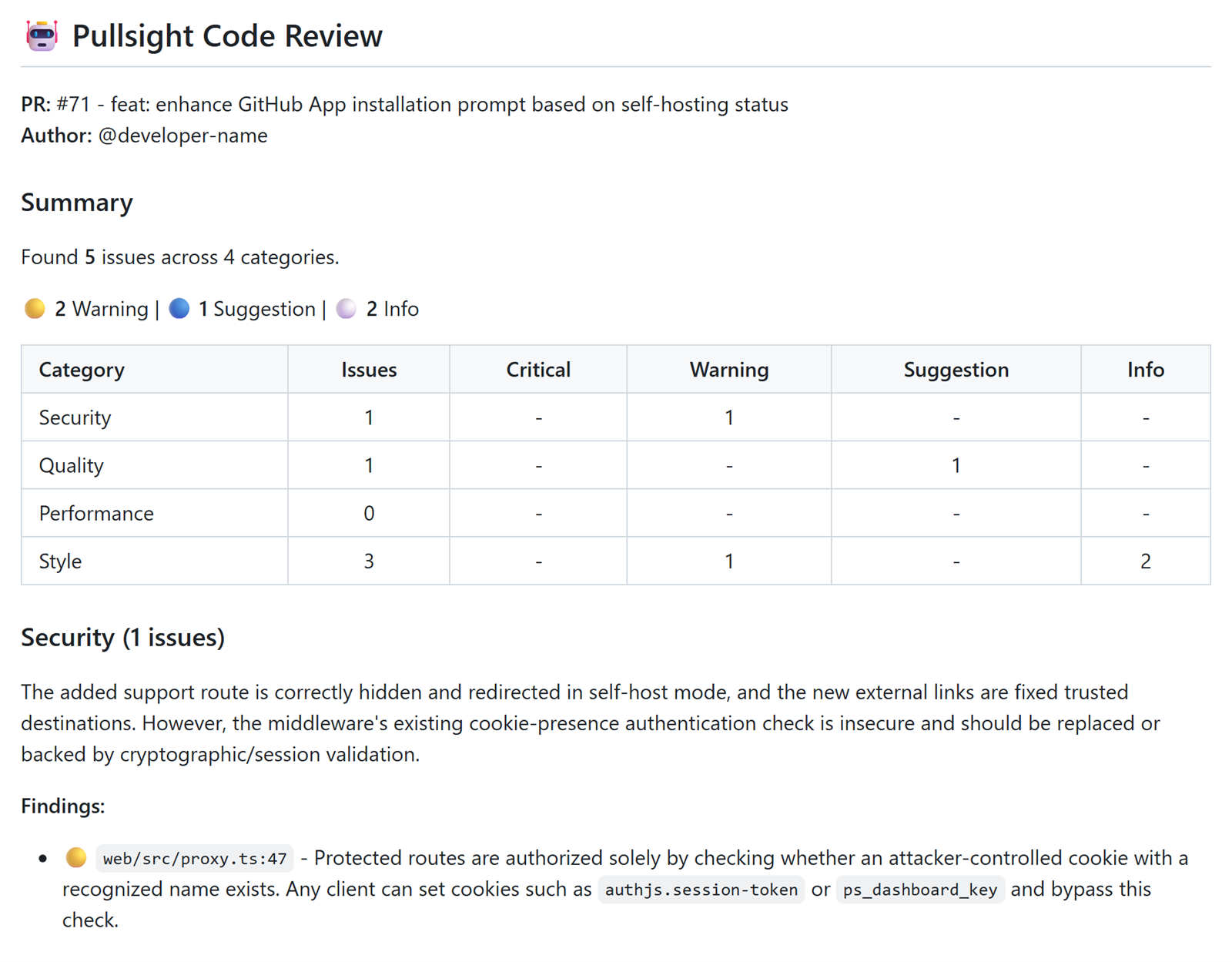
Self-host
Release images run in self-host mode. The dashboard, the review history, and the retrieval index stay in infrastructure you operate.
Pull requests, comments, and the index are stored in your database, inside your containers. There is no separate Pullsight copy of the repository.
Ollama is the default and needs no API key. You can also point Pullsight at OpenAI, Anthropic, Azure OpenAI, Gemini, Groq, Qwen, DeepSeek, or Kimi with your own account.
With a local model, the diff and the prompt are not sent to an external API. A
model such as qwen2.5-coder:3b can run on hardware you own.
If you configure an external provider, the content needed for the review is sent to that provider. You choose the provider and accept its terms.
Provider keys are read from the server environment. They are not sent to the browser. You pay the provider directly.
Self-host images include mention commands, the team board with reviewer assignment, and weekly review digests. There is no seat catalog on this website.
Product
These captures show a self-host dashboard with demonstration activity. They contain no customer data. Refresh them by hand when the interface changes.
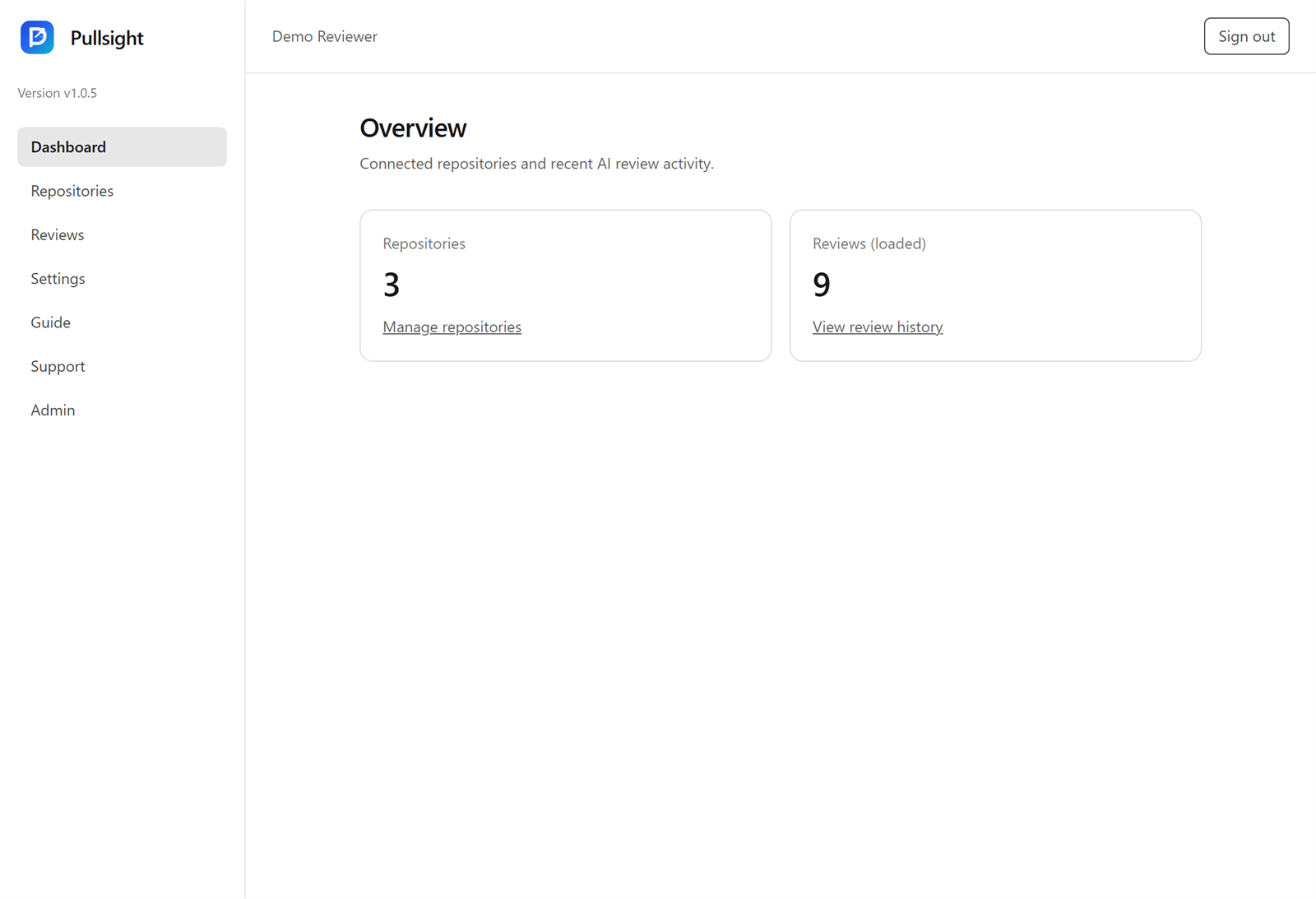
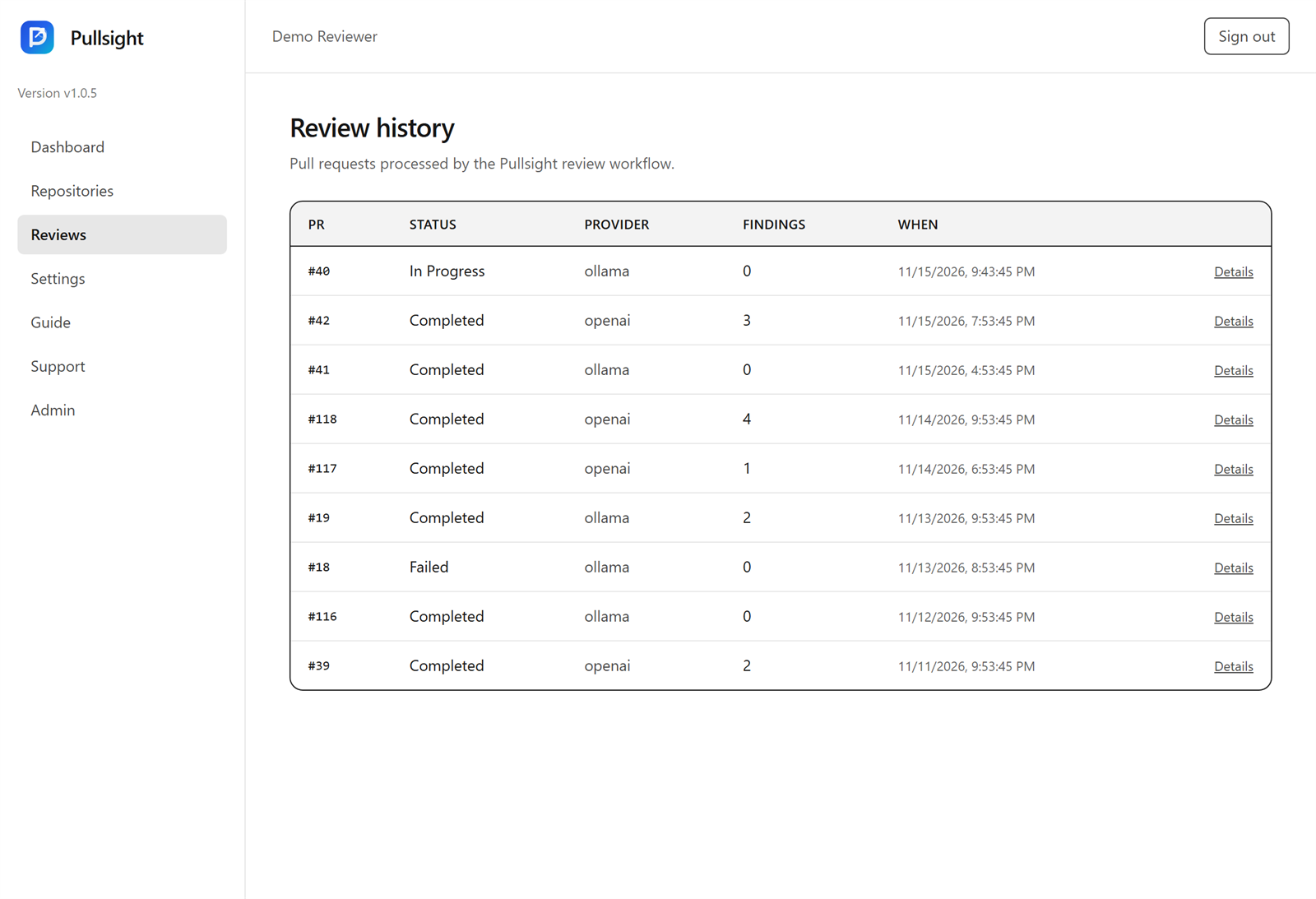
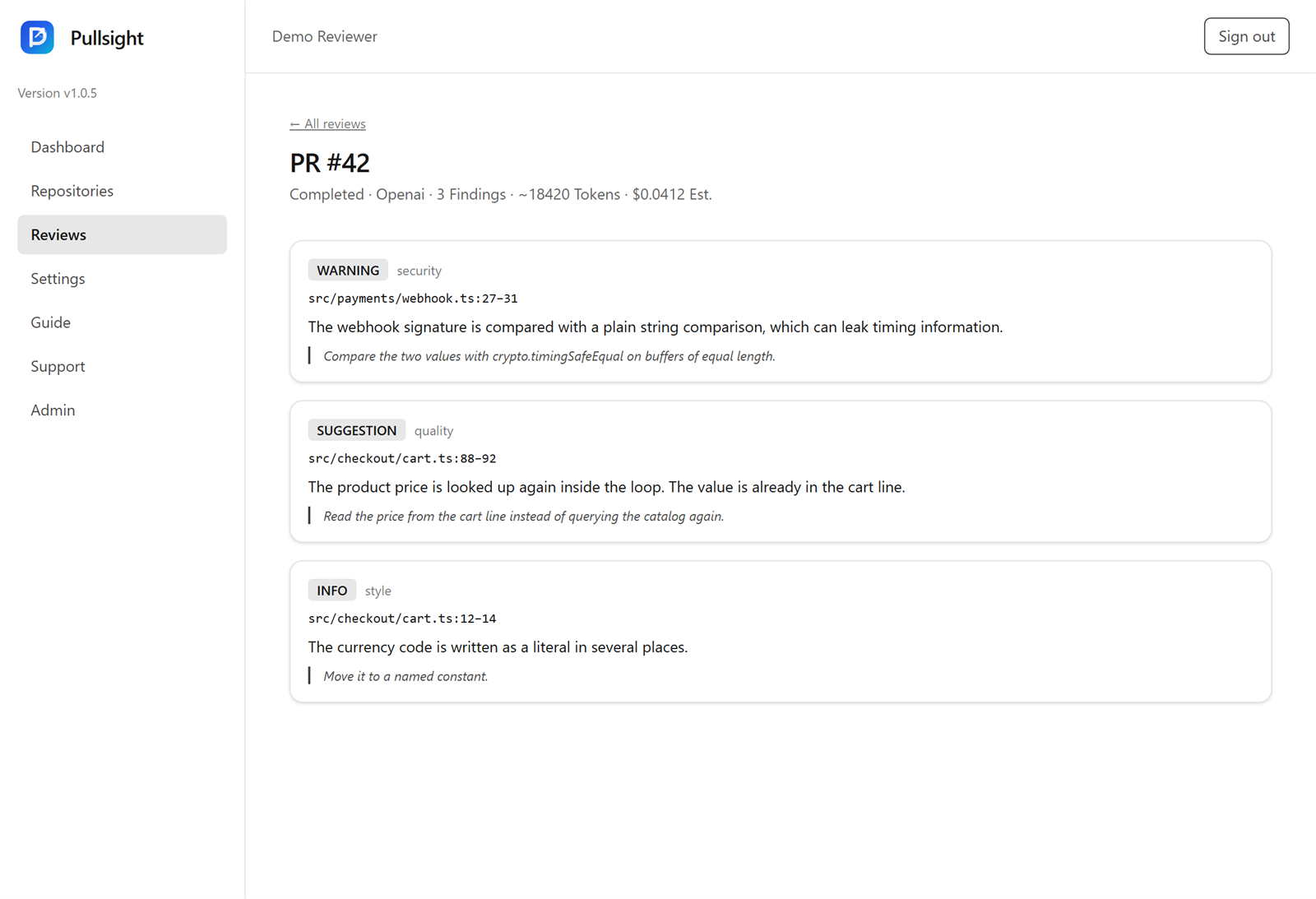
Install
Download the configuration package, pin the same image tag the package was built with, then pull the images from GHCR. The full steps are on the installation page.
b0ace31274cab661adcf5075dc884747a0a21ccef19c8adb9316fb60af000777
ghcr.io/pullsight-inc/pullsight-db:v1.0.5, pullsight-api, and pullsight-web. The file .image-tag inside the package records v1.0.5.
Contact
Write to the Pullsight team about the software or this website. Sign-in for a self-host dashboard happens on the server you install, not here.
info@pullsight.dev